New
Players
If you are new to World of
Warcraft, or starting
fresh on World of
Warcraft, please continue
reading the step-by-step
guide below. If you are
returning player that is
picking up where you left
off, please scroll down to
the "Returning Players"
section of the guide.
(Note: XBAND is officially
a Horde guild, but you can
still join if you plan on
playing on the Alliance
faction instead. There
will be specific notes
throughout the guide if
that is the case for you.)
STEP 1): SELECTING THE
XBAND REALM
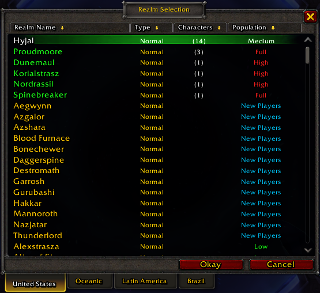
Click
on the "REALMS" tab at
the top of the screen.
Scroll the Realm
Selection options until
you find "Hyjal". Click
on "Hyjal" so that it is
highlighted, then click
the "Okay" button at the
bottom of the window.
 (Note:
If you plan on playing
an Alliance character,
you may alternatively
select "Proudmoore".)
(Note:
If you plan on playing
an Alliance character,
you may alternatively
select "Proudmoore".)
Click
on "Create Character"
near the bottom-right of
the screen.
STEP 2): MAKING YOUR
CHARACTER
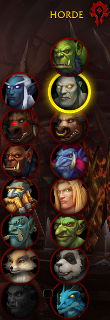
Select
from any of the Horde
race options available
on the right-hand side
of the screen. You can
right-click on any of
them for a more detailed
description.
(Note: You
may alternatively
select from the
Alliance race options
on the left-hand side
of the screen.)
You
can select your
character's body type at
the top of the screen.

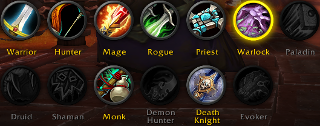
Selecting which Class to
play will be the most
important part of making
your character. Some
Classes are available to
most Races (Warrior),
while other Classes are
available to only a
small handful of Races
(Demon Hunter). Select
the Class you think you
will have the most fun
with. If you change your
mind or want to
experience different
classes, you can make
additional characters as
you please.
When
you are ready to move on
to giving your character
a name and changing your
character's hairstyle,
face, tattoos, and
viewing any other
available options, click
on the "Customize"
button the the
bottom-right of the
screen.
STEP 3) JOINING THE XBAND
GUILD
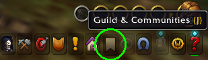
After
your character has
loaded into the World of
Warcraft, find and click
on the tabard icon at
the bottom-right of your
screen. (You may also
press "J" on your
keyboard as a shortcut.)
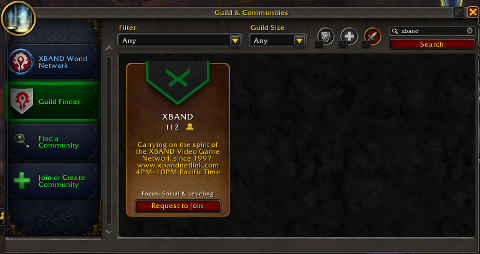
Click
on "Guild Finder" on the
left-hand side of the
window that opened, then
type "xband" into the
space at the top-right
of the same window.
Afterward, click on the
"Search" button. You
will see the XBAND guild
appear in the window as
an option. Go ahead and
click on the "Request to
join" button.
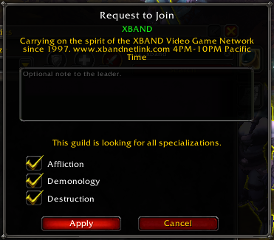
Click
on at least one of the
checkboxes that appear
in the window that
opens, then click on the
"Apply" button below
them.
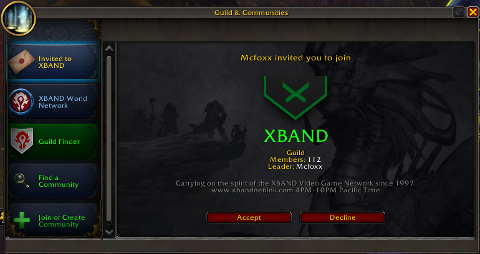
Allow
for the time to pass for
the application to go
through, then for
progress by pressing "J"
on the keyboard. Once
the application has been
approved, you will see a
new option "Invited to
XBAND" on the left-hand
side. Click on that,
then click on the
"Accept" button. Welcome
to the XBAND Guild!
Returning
Players
Just complete Step 3 above
to join the XBAND Guild.
It does not matter what
realm or faction your
character is on, you will
be able to join.








 XBAND
Wants You!
XBAND
Wants You!